
Clear Filters
When your filter is orange  it means a filter is already active.
- Click on the Filter button.
- Click on the Clear
 button at the top of the screen.
 - Click the Run
 button to refresh your Day view.
Right click Filter Options
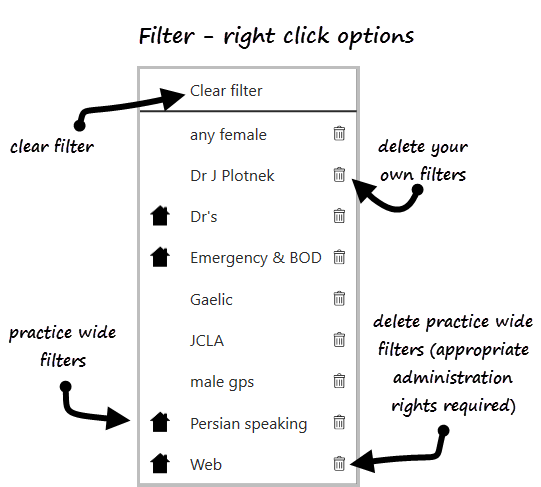
- Clear filter
- Delete personal and practice wide filters
- Practice wide filters are indicated by a House symbol

